

Every guide to alt tags says the same three things: describe the image, keep it short, don’t stuff keywords. All true. But almost none of them show you what alt text looks like on real websites, or what’s actually going wrong.
So we checked. We looked at 1,226 images across 16 UK law firm and housebuilder websites. Some were excellent. One firm’s people page had 229 solicitor headshots with no alt text at all.
In this post we’ll cover whether alt tags really help SEO, what we found, real before and after examples, and how to find and fix the gaps on your own site.
What are alt tags? (And why they’re really alt text)
Alt text is a short written description of an image. It sits in the image’s code and looks like this:
<img src="jane-smith.jpg" alt="Jane Smith, family law partner, in the firm's office">Most people call it an “alt tag”. Strictly speaking it’s an alt attribute: the tag is the <img>, and alt is one of its attributes. Nobody’s going to mark you down for saying “alt tag”, though. It’s what most people search for, and it’s what we’ll call it here too.
Alt text does three jobs:
- Screen readers read it out. If someone can’t see the image, the alt text tells them what’s there. More than two million people in the UK are living with sight loss, according to Sight Advice FAQ, a service from RNIB and other sight loss charities.
- Search engines use it to understand the image. Google can analyse images, but alt text gives it a clear, written description to go on.
- It shows when the image doesn’t load. On a slow connection or a broken link, the alt text appears in the image’s place.
It’s not the same as an image title (the text that pops up when you hover) or a caption (the text people can see under the image). Those are useful, but they’re not what search engines or screen readers rely on.
Do alt tags help SEO? The honest answer
Yes, but probably not in the way you’ve been told.
Alt text is one of the things Google uses to work out what an image shows and how it relates to the page. That matters most in Google Images, where the image itself is what ranks. Google’s own image SEO guidance calls alt text the most important attribute for describing an image. Google uses it alongside computer vision and the content of the page. File names, by comparison, only give it light clues.
What alt text won’t do is lift a weak page to the top of the normal results. Lots of articles hint that it’s a big ranking factor. We couldn’t find any good evidence for that, and none of the top-ranking pages for this topic offer any either.
So here’s how we’d think about it:
- It’s a basic, not a growth hack. Like page titles and headings, it’s part of doing the job properly. Get it right once and it keeps working.
- It matters more on image-led pages. Product pages, property listings, team pages and galleries have lots of images and not much text. Alt text gives search engines more to go on.
- The SEO benefit is the bonus. The main reason to write good alt text is that some of your visitors can’t see your images. Do it for them and the SEO side mostly takes care of itself.
It’s also one of the few SEO jobs that’s cheap, quick and low risk. Which makes it all the more surprising how often it’s done badly. More on that next.
What we found when we checked 16 law firm and housebuilder websites
In November 2026 we checked the alt text on 16 well-known UK websites: 10 law firms and 6 national housebuilders. For law firms we looked at the homepage and, where we could, the people page. For housebuilders we looked at the homepage, plus a development page and a house type page on two of the sites. That’s 25 pages and 1,226 images.
We’ve not named the firms. The point isn’t to shame anyone. These are big, well-run businesses, and if they’re getting it wrong, plenty of smaller sites will be too.
| Law firms | Housebuilders | |
|---|---|---|
| Sites checked | 10 | 6 |
| Images checked | 856 | 370 |
| No alt attribute at all | 28% | 0% |
| Empty alt (some of these are fine, see below) | 24% | 9% |
| File names or placeholders as alt text | 46 images | 9 images |
A few things stood out.
Law firms struggle with people pages. One firm’s people page had 231 images, and 229 of them had no alt attribute at all. That’s almost every solicitor headshot on the site. Two more gave their headshots empty alt text. Only one firm gave every headshot both a name and a role (in the format “Jane Smith, Trainee Solicitor”).
Accreditations get forgotten. Awards and accreditation badges are how law firms build trust. Yet one firm left its Legal 500, Lexcel and Armed Forces Covenant badges with empty alt text. Another used file names (“Regional_Top25_list_logo_South East”). A third had an award logo with the alt text “alt tzt”, which looks like a test that never got finished.
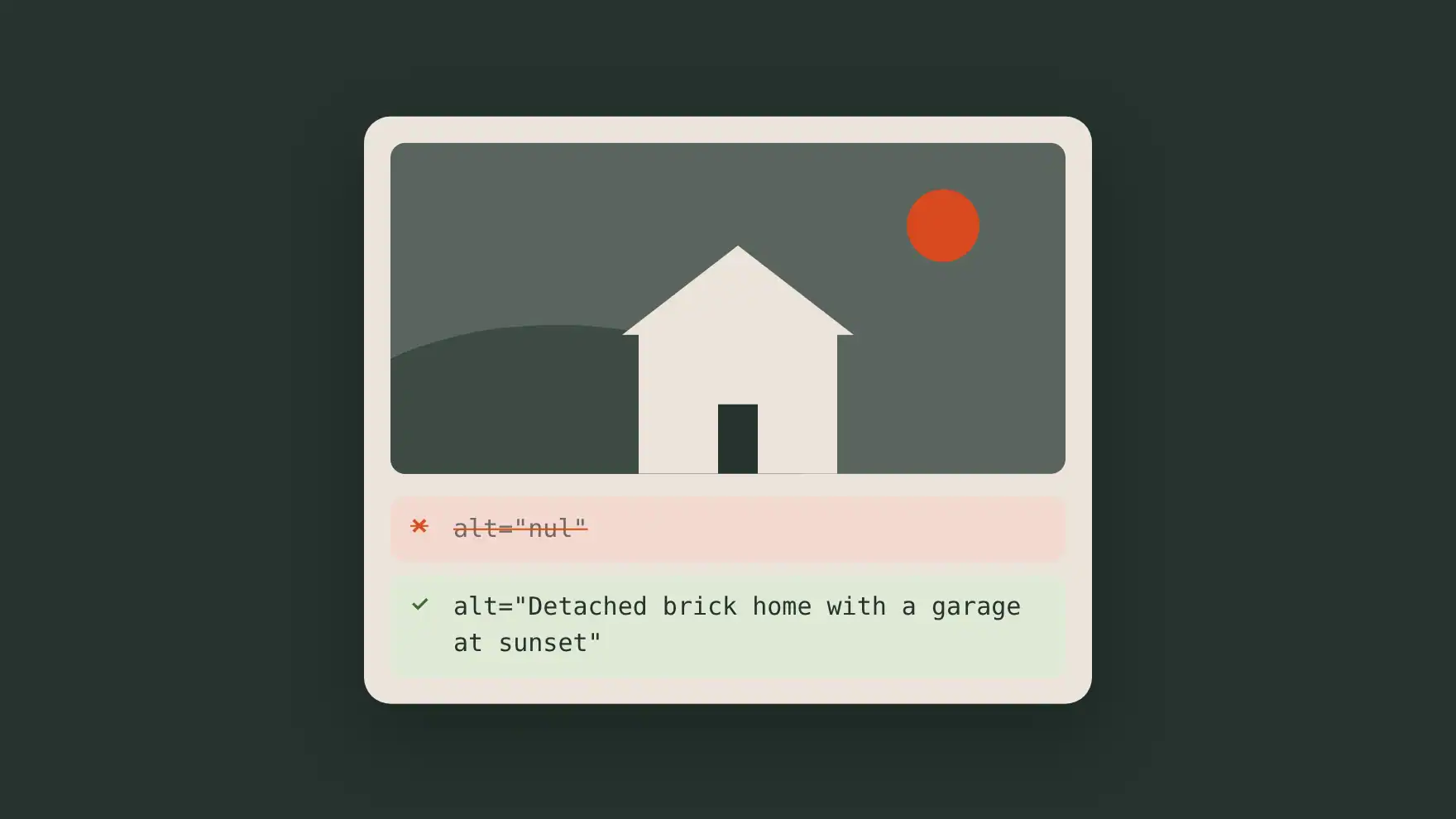
Housebuilders fill it in, but not always well. Every housebuilder image we checked had an alt attribute. The problems were about quality: “Dining room”, “street scene”, “hero”, and one site where 8 images just said “nul”.
Media library titles slip through. Several sites have alt text that’s clearly the name someone gave the file when they uploaded it: a solicitor’s name followed by “Crop”, “Press Conference Merry”, “Updated Footer 2026 (1)”. It’s not wrong as such. It just doesn’t describe anything.
And it’s not all bad. One housebuilder’s house type pages were the best thing we found. Every photo names the room, the house type and what’s in it: “Main bedroom in The Galloway home with green bedside tables and orange cushions”. That’s alt text that helps a screen reader user and gives Google plenty to work with.
A note on method: we checked each page’s images in a browser and looked at what the code says. Some sites load images with JavaScript, and a few pages showed very few images as a result. It’s a snapshot, not a full audit.
How to write alt text for SEO: real before and after examples
Good alt text answers one question: if you couldn’t see this image, what would you need to know? Here’s how we’d approach it:
- Say what’s in the image, specifically. Not “Dining room” but which home, which room, what’s notable.
- Think about why it’s on the page. A headshot on a people page is there to show who someone is, so their name and role matter more than their jumper.
- Keep it short. Around a sentence is plenty. Around 125 characters is a common guide, but it’s not a hard limit.
- Use keywords only where they’re true. If the photo shows a four-bedroom home in a named development, say so. Don’t add “new homes Kent best price” to a photo of a kitchen.
- Don’t start with “image of”. Screen readers already announce that it’s an image.
And here’s what that looks like on the alt text we actually found:
| Image | What we found | What we’d write instead |
|---|---|---|
| Solicitor headshot on a people page | No alt attribute, or alt="" |
alt="Jane Smith, Partner, Family Law" |
| Solicitor headshot | alt="Firstname-Surname-2" (file name) |
The person’s name and role, as above |
| Award logo | alt="alt tzt" |
alt="Legal 500 Top Tier Firm 2026" |
| Accreditation badge | alt="Regional_Top25_list_logo_South East" |
alt="Best Companies Top 25 regional employer, South East" |
| Accreditation badges | alt="" on Legal 500, Lexcel and Armed Forces Covenant logos |
Name each one: alt="Lexcel accredited by the Law Society" |
| Firm logo | alt="" or missing |
alt="[Firm name]", or alt="[Firm name] home" if it links to the homepage |
| Article image | A 300-character paragraph copied from the article | One short line on what the photo shows |
| Background photos | alt="background" on 13 images |
alt="" if they’re decorative; a short description if they’re not |
| House photos | alt="nul" on 8 images |
alt="Three-bedroom semi-detached homes on a new street at [development]" |
| Interior photo | alt="Dining room" |
alt="Dining room in the [house type] show home, with doors to the garden" |
| Street scene | alt="street scene" |
alt="Street of new brick homes at [development], [town]" |
| CGI | alt="An Artists Impression of The [house type]" |
alt="CGI of The [house type], a four-bedroom detached home with a garage" |
| Living room | alt="A blank canvas living room to make all yours" |
Save the sales line for the caption: alt="Empty living room in The [house type] with bay window" |
The last one is a common trap. Marketing copy is fine on the page, but alt text should describe what someone can’t see, not sell it to them.
A note on location keywords
Housebuilders often ask whether to add the town or development name to every image. Only add it when it’s actually in the picture: a street scene, an aerial view, the show home. For an interior shot, the house type name is more useful and more honest.
When to leave alt text empty
Not every image needs a description. If an image is purely decorative, or it just repeats text that’s right next to it, it should have an empty alt attribute: alt="".
That tells screen readers to skip it. Leaving the alt attribute out altogether is different, and worse. Some screen readers will read out the file name instead.
Leave alt text empty for:
- Decorative shapes, dividers and background textures.
- Icons next to a text label. A development page we checked had a garage icon with the alt text “With garage”, right next to the words “With garage”. A screen reader user hears it twice.
- Close buttons and arrows that already have an accessible label on the button itself.
Don’t leave it empty for:
- Your logo. It’s often the only thing telling someone whose site they’re on.
- Awards and accreditations. They’re there to build trust, so describe them.
- Photos that carry meaning. Team photos, property photos, CGIs and anything the page talks about.
One grey area is headshots on people pages where the name is printed right underneath. Technically, empty alt text is acceptable there, and two of the law firms we checked did exactly that. But a headshot with the person’s name and role in the alt text helps people searching for that solicitor by name, and it costs nothing. We’d always fill it in.
Alt text and AI search
This is where a lot of articles get carried away, so we’ll stick to what’s actually known.
AI search tools like Google’s AI Overviews, ChatGPT and Copilot build their answers from web pages. Alt text is part of a page’s content, so it’s part of what they can read. Some of these tools can also look at images directly.
What nobody has shown, as far as we can find, is that good alt text makes a page more likely to be cited in an AI answer. We’d be wary of anyone who tells you otherwise without data to back it up.
What we’d say is this. Clear, specific alt text makes it easier for any system, human or machine, to understand what’s on your page and how it fits together. “CGI of The Ashford, a four-bedroom detached home with a garage” tells a machine far more than “An Artists Impression”. It’s good practice either way, so there’s no reason to wait for proof. If AI search is on your radar, it’s worth looking at alongside the rest of getting your site ready for AI search.
Should you use AI to write it?
It can save a lot of time, especially on a big image library. But check what it writes. One housebuilder’s homepage had alt text describing a couple on a bench right down to the man’s sunglasses and shorts. It’s accurate, but it misses the point. The image is there to sell a garden, not an outfit.
AI tools also can’t know things that aren’t in the picture, like a solicitor’s name, a house type or which development a street is on. That’s the part that matters most for SEO, and it’s the part you’ll need to add yourself.
Alt text and UK accessibility law
Most alt text guides quote US law and a famous pizza lawsuit. Here’s the UK picture instead. (We’re not lawyers, so take legal advice if you’re unsure where you stand.)
- The Equality Act 2010 means every UK service provider has a legal duty to make reasonable adjustments for disabled people. GOV.UK’s accessibility guidance spells out that this covers all service providers, not just the public sector. In our view, your website is part of that service. Images with no text alternative are one of the most basic barriers a site can have.
- The Public Sector Bodies Accessibility Regulations 2018 require public sector websites to meet WCAG 2.2 at level AA. They don’t apply to private businesses, but WCAG is the benchmark everyone else gets measured against too.
- The European Accessibility Act has applied since 28 June 2025 to certain products and services sold to consumers in the EU, including ecommerce. It can apply to UK businesses too, if they sell to EU consumers.
The relevant WCAG rule is success criterion 1.1.1, “Non-text content”. It’s Level A, the most basic level. In plain English: every meaningful image needs a text alternative, and decorative ones should be hidden from screen readers.
For a law firm, there’s an extra reason to care. It’s hard to tell a client you take their rights seriously when your own website shuts some of them out. It’s also one of the quick wins we look for in SEO for law firms.
How to find missing alt tags on your site
You don’t need to buy a plugin to find out where you stand. Start with whichever of these suits you:
- Check one image in your browser. Right-click an image and choose “Inspect”. Look for
alt=in the highlighted code. If it’s not there, or it’s empty on an image that matters, you’ve found one. - Run a free page check. Chrome’s built-in Lighthouse report (in Developer Tools) and WebAIM’s WAVE tool both flag images with missing alt text, one page at a time.
- Crawl the whole site. For anything bigger than a handful of pages, use a crawler like Screaming Frog (free up to 500 URLs) or an SEO tool’s site audit, such as Ahrefs Site Audit or Semrush Site Audit. They’ll list every image with missing alt text across the site.
- Check your CMS. WordPress and Shopify both let you add alt text in the media library. Fixing it there usually fixes it everywhere the image appears.
Then prioritise. Don’t try to fix 2,000 images in one go. Start with the pages that matter most:
- Your homepage and main service or development pages
- People pages and headshots
- Awards and accreditations
- Product, property and gallery images
And look beyond the empty ones. Tools will flag missing alt text, but they won’t spot “nul”, “background” or “Updated Footer 2026 (1)”. You’ll only catch those by reading through the list.
If you’d like the bigger picture, alt text is one part of a proper website audit, alongside the SEO fundamentals every site should get right.
FAQs
What is alt text in SEO?
It’s the written description in an image’s alt attribute. In SEO terms, it’s one of the main ways search engines understand what an image shows and how it relates to the page.
Do alt tags help SEO?
Yes, mainly by helping Google understand your images for Google Images. They won’t transform your normal rankings on their own, but they’re a basic part of on-page SEO and accessibility.
How long should alt text be?
Usually one short sentence. Around 125 characters is a common guide, but describe what the image needs, no more and no less.
Should every image have alt text?
Every image should have an alt attribute. Meaningful images need a description. Decorative ones should have an empty one (alt="") so screen readers skip them.
Is alt text the same as an image title?
No. The title attribute is the tooltip you see when you hover. Search engines and screen readers rely on the alt text, not the title.
Should I put keywords in alt text?
Only where they honestly describe the image. A photo of a four-bedroom home can say “four-bedroom home”. Stuffing in keywords that aren’t in the picture won’t help, and it makes life worse for screen reader users.
Should I use AI to write alt text?
It’s a good starting point for large image libraries, but always check it. AI tools can describe what’s in a photo. They can’t know the solicitor’s name, the house type or why the image is on the page.
How do I check if an image has alt text?
Right-click an image and choose “Inspect” to check one. For a whole site, use a crawler like Screaming Frog or an SEO tool’s site audit.
